


 SAR
Technology - 'Mission Control' Online Map Viewer
SAR
Technology - 'Mission Control' Online Map Viewer
 'Mission
Control' - Online Collaboration for Response Teams & Agencies.
'Mission
Control' - Online Collaboration for Response Teams & Agencies.
 Sharing documents, data, images, map layers and
mission maps.
Sharing documents, data, images, map layers and
mission maps.
 |
|
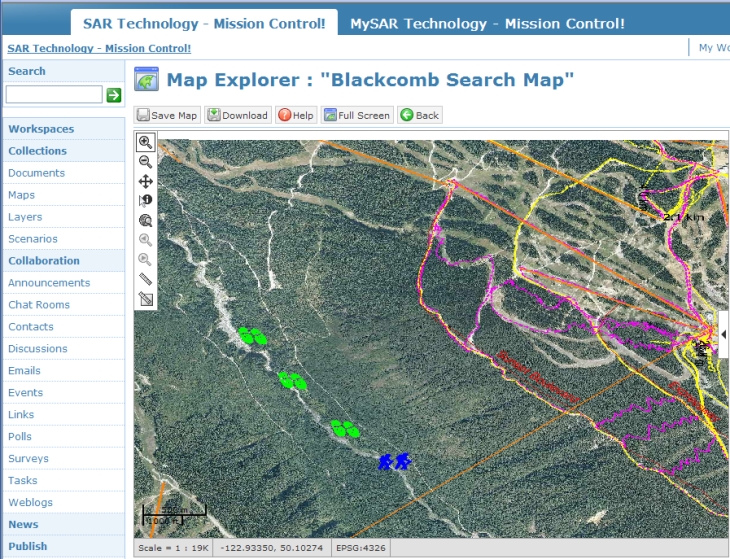
'Mission
Control' Online Map Explorer |
 |
|
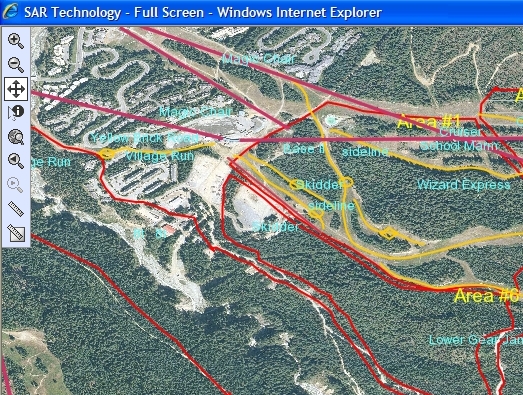
Mission
Control' - Full-Screen Online Map Viewer |
 |
|
Mission
Control' - Full-Screen Online Map Viewer |
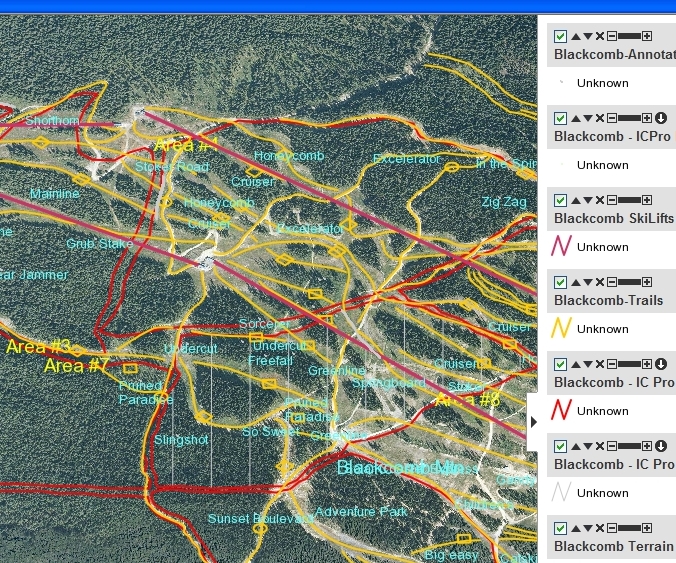
The 'Mission
Control' website now displays uploaded 'Incident Commander
Pro' maps in a
new, feature-rich, full-screen map display.
 The new full-screen map display is ideal for sharing mission information
between response teams and agencies, even when collaborating from different geographic locations.
The new full-screen map display is ideal for sharing mission information
between response teams and agencies, even when collaborating from different geographic locations.
The full-screen map display now permits detailed online examination of 'Incident Commander Pro' mission status maps - a powerful capability for remote conferencing and planning by response team and agencies.
 The
enhanced 'Mission
Control' map display includes many convenient
new features for collaborative planning and response:
The
enhanced 'Mission
Control' map display includes many convenient
new features for collaborative planning and response:
 The Map Control features include:
 Zoom
In
Zoom
In  Zoom
Out
Zoom
Out
 Pan
Pan
 Identify
Features
Identify
Features
 Zoom
to Map Limits
Zoom
to Map Limits
 View
Previous
View
Previous  View
Next
View
Next
 Measure
Length
Measure
Length  Measure
Area
Measure
Area
The Map Layer features include:
 Show/Hide
Layer
Show/Hide
Layer
 Move
Layer Up/Down
Move
Layer Up/Down
 Remove
Layer
Remove
Layer
 Set
Layer Transparency
Set
Layer Transparency
 Download Map Layer
 Lat-Long
 Map Scale
  Map Datum
Identify
Features  Map Properties
 Metric
/ US Map Ruler
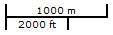
Metric
/ US Map Ruler
'Incident
Commander Pro' & 'Mission
Control'
Collaborative Mission Response
For more information
please contact:
 SAR
Technology Inc.
SAR
Technology Inc.
 Phone:
(604) 921-2488
Phone:
(604) 921-2488  Fax (604) 921-2484
|
|
SAR Technology Inc. |  |
View / Save / Share |



 SAR
Technology
Home
SAR
Technology
Home